The MessageSender service is an integral part of the Automatic Message Forwarding feature. Without it, this feature will not work. MessageSender is not installed by default as it is a separate product that you will need to purchase a license for if you don't have one.
Select MessageSender to manage the MessageSender service.
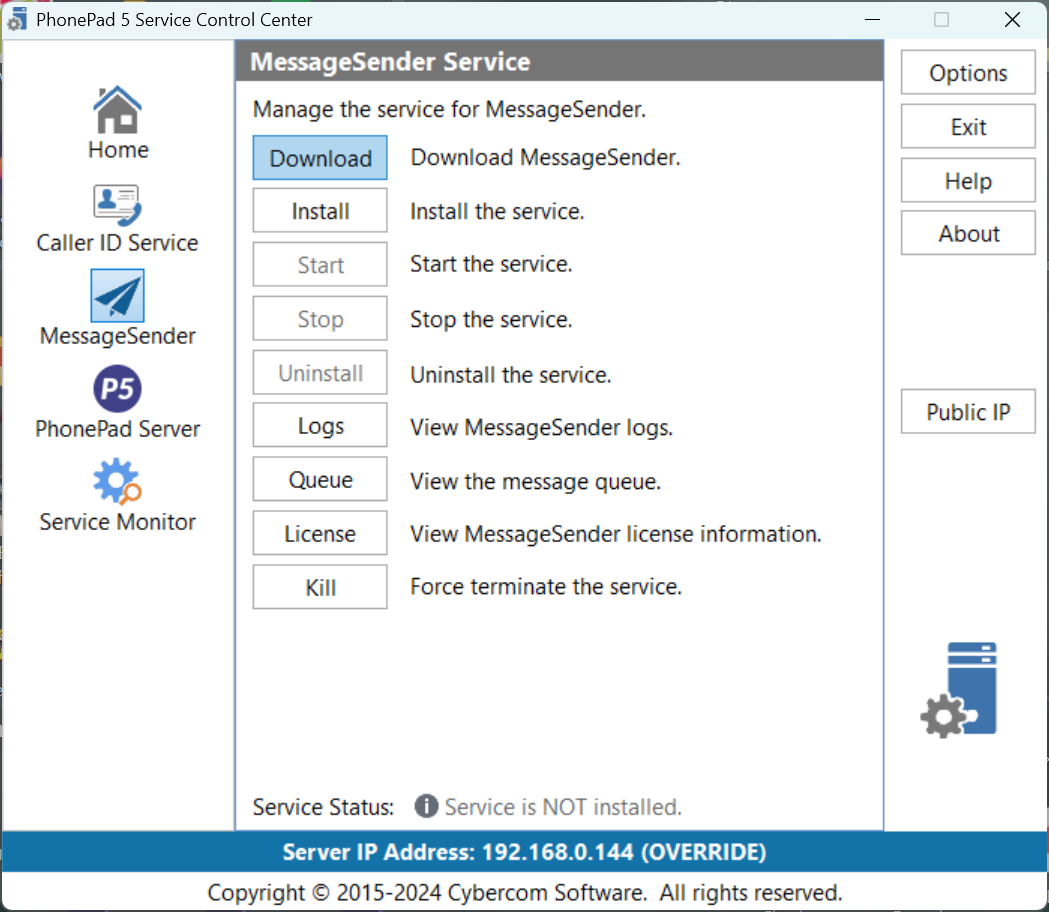
Download |
If you haven't downloaded MessageSender then you can download the latest version here. If you don't have a license for MessageSender it will run in Trial mode. |
Install |
Installs the MessageSender service. |
Start |
Starts the MessageSender service. |
Stop |
Stops the MessageSender service. |
Uninstall |
Uninstalls the MessageSender service. |
Logs |
Opens the Log Viewer and displays the MessageSender logs. |
Queue |
Allows you to view and manage the MessageSender message queue. |
License |
Purchase and license MessageSender. |
Kill |
Sometimes when a Windows service is stopped it can go into a state of limbo. It's neither stopped nor started. When it's in this state it won't respond to any commands. If this happens with the MessageSender service, click the Kill button to terminate it. The service then try to restart itself, but if it doesn't click on the Start button. |
|
If you get an Access Denied error when trying to install or start the service, close the Control Center. Find the ControlCenter application in the folder you installed the server in, right-click on it, and then select Run as Administrator. |
