Smart Assistance


Smart Assistance |
|
|
What is Smart Assistance?
Smart Assistance is PhonePad’s built-in assistant that analyzes the content of a message as you type and automatically suggests useful actions.
Think of it as a sharp-eyed receptionist who never blinks — spotting dates, names, and intent before you even finish typing.
Smart Suggest can automatically detect and suggest:
� Follow-up dates
☑️ Follow-up required flags
� Contacts or recipients
� Phone numbers entered in the message
� Context-based suggestions (based on message content)
How it works
You can either activate it by clicking the Suggest button, or have it automatically make suggestions by enabling Auto Suggest under your Preferences.
They say that a picture is worth 1000 words, so let's have a quick look at how it works.
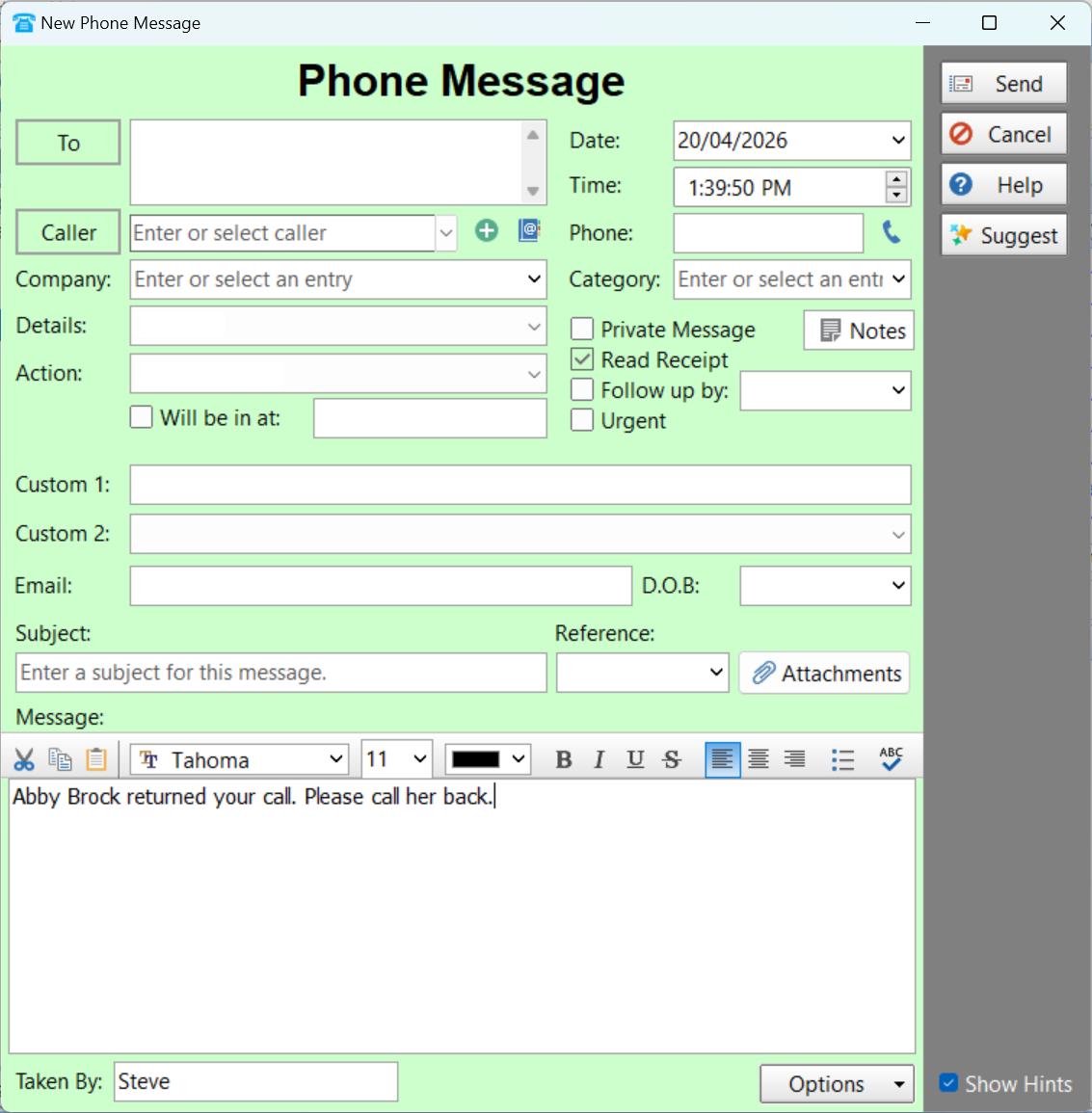
In this example I have typed in just the message text.
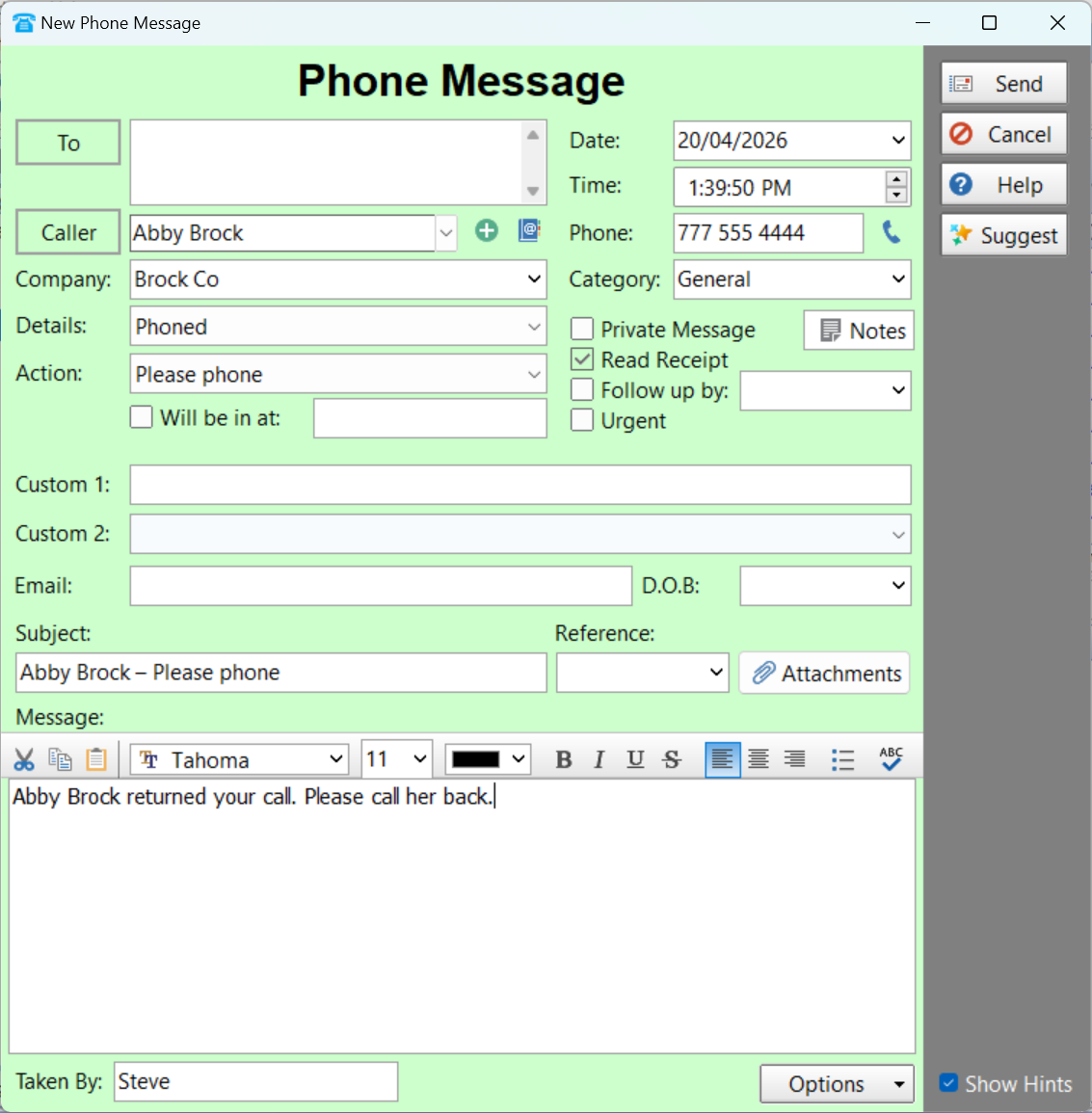
After clicking the Suggest button, Smart Suggest extracts the details and automatically fills in the appropriate fields.
Please note: Smart Suggest won't overwrite fields that aren't empty.
|