The ToDo List has 7 columns.
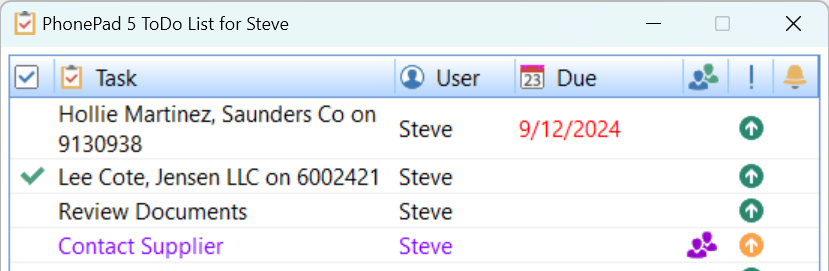
Column |
Description |
Completed |
Indicates whether or not the To Do task has been completed. Tasks can be marked as completed by clicking on this column. |
Task |
This is the name or description of the task. If a message has been dragged and dropped onto the To Do List then the task will reflect that information. |
User |
Indicates who a task has been assigned to. Given the appropriate permissions, you can create tasks and assign them to other users, and they can create tasks and assign them to you.. |
Due |
If there is a Due Date for a task, it will be shown in this column. |
Group Task |
Tasks can be shared by any number of users. If the task is a group task then this will be indicated in this column. |
Priority |
Shows the priority of the task: Low, Medium or High. |
Reminder |
If a reminder has been set for a task, it will be indicated by the group icon in this column. |