Adding events is quick and easy.
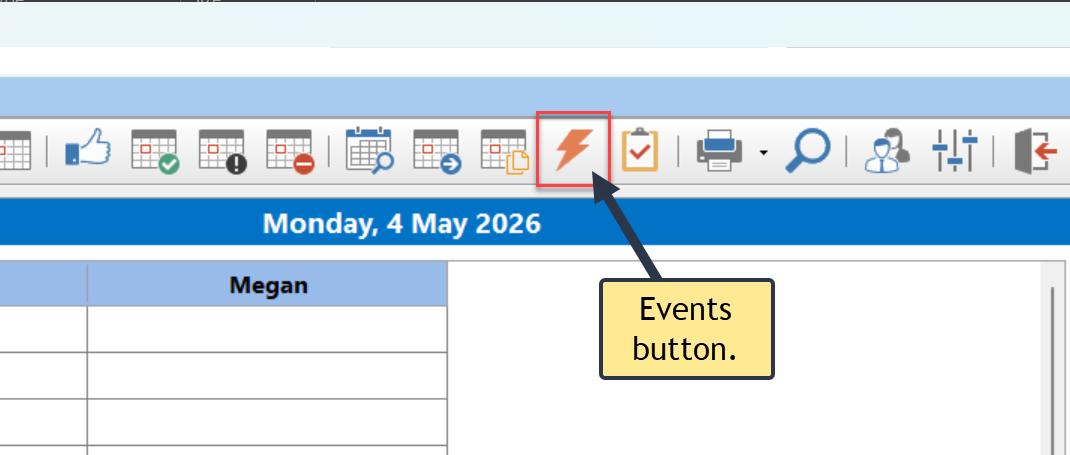
1.Click the Events button on the Home toolbar, or select Events from the File menu.
2.The Events window will appear.
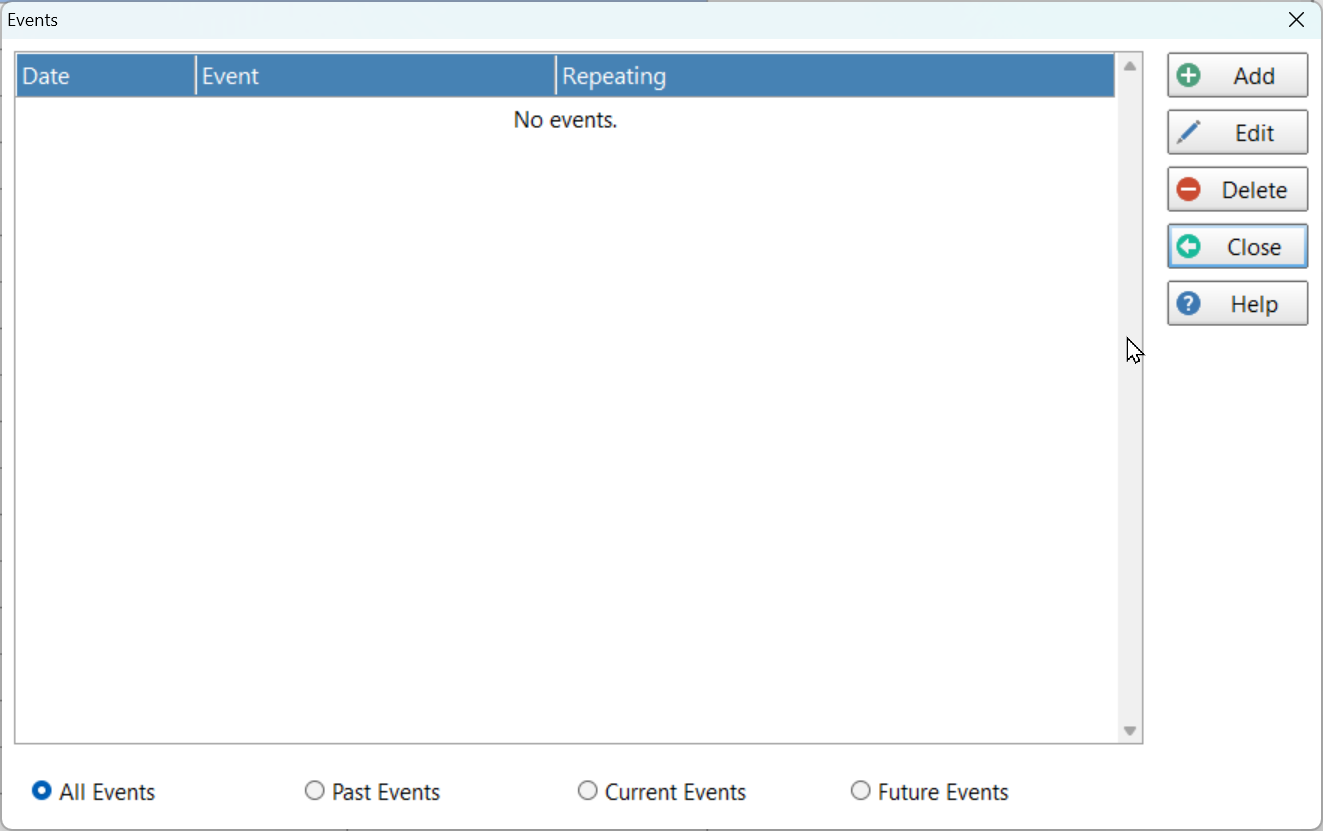
3.Click the Add button.
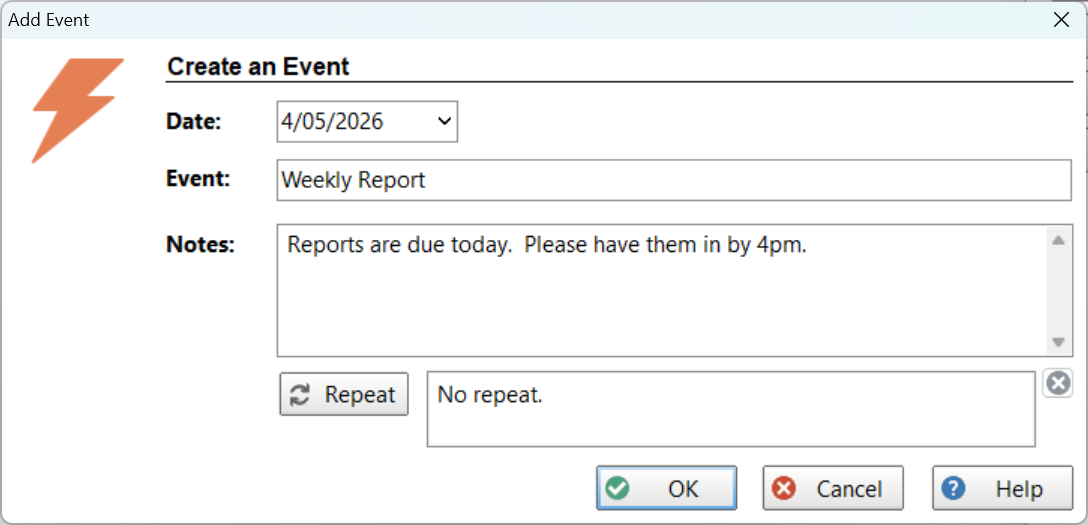
4.Select the Date.
5.Enter a name for the Event.
6.Optionally enter Notes.
7.Click the OK button.